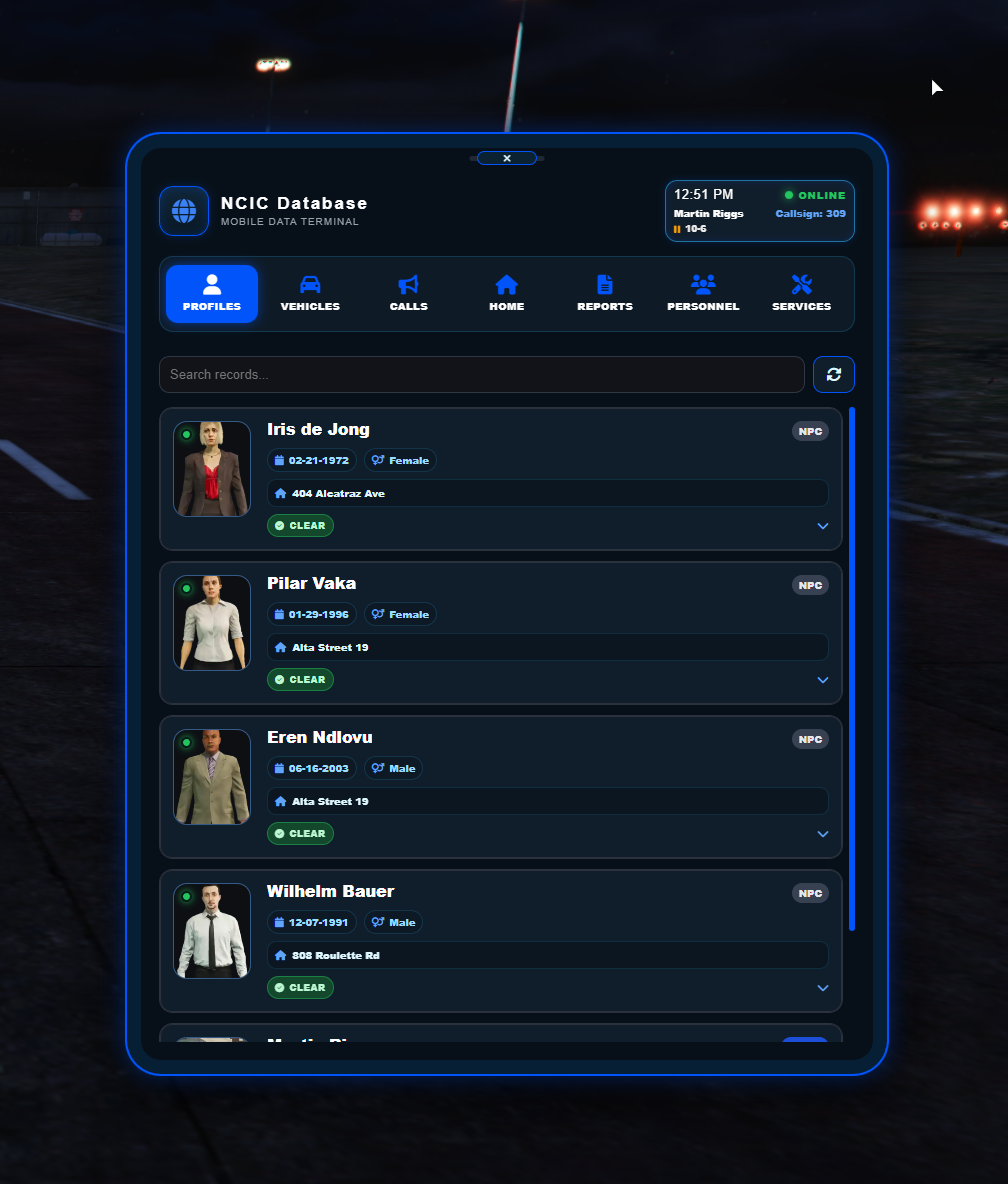
screenshotERS tablet
Emergency services information and actions in the integration UI.
Connect ERS callouts to the framework around them.
A QBCore and Qbox bridge for Emergency Response Simulator with dispatch, radial-menu, target, MDT, and inventory integrations.
ERS Integration connects Emergency Response Simulator activity to a roleplay server's wider systems. It routes service requests and callouts through PS Dispatch, adds QB and QBX radial actions, supports duty and service interactions through target systems, and expands the experience with an MDT-style database, personnel and callout history, optional inventory items, rewards, and quality-of-life tools.
QBCore and Qbox support brings ERS duty roles, player details, jobs, and service actions into the server framework.
Traffic stops, callouts, pursuits, service requests, and arrivals can create immersive PS Dispatch events.
Profiles, vehicles, calls, reports, personnel, services, dispatch, and utility tools live in a dedicated tablet UI.
Duty locations, service requests, database actions, and common ERS tools are available without memorizing commands.
Back up PS Dispatch and radial-menu configuration before making integration edits.
Apply the provided alert and radial-menu entries from the INSTALL ME folder.
Place ers_integration in your resources and import the included database SQL.
Configure duty locations, dispatch timing, rewards, notifications, inventory, and target behavior.